
Self-Storage Facility Pages: The SEO Multiplier
If you run storage facilities and you only have time to fix one thing on your website this quarter, fix your self-storage facility pages, one location at a time.
Not the about page. Not a blog post. The page that represents one physical building at one address in one city.
That page is the only page on your site that can rank for the searches that actually fill units. “Storage units in Ocala.” “Climate controlled storage near me.” “10×20 storage Phoenix AZ.” Those searches have a location attached, and Google needs a page attached to a location to answer them. If you have more than one location, your homepage cannot do that job effectively. Your facility page can.
Most storage websites treat it as an afterthought. That is the opportunity.
Running a single facility? Then your homepage is your facility page, and it is the main page you optimize. Everything in this article still applies. Just apply it to your homepage instead of building a separate location page.
Why this one page carries so much weight
Local search works differently from regular search. Google is not just asking “which page is most relevant.” It is asking “which business is nearest, most prominent, and most clearly about this thing, in this place.”
Whitespark’s 2026 Local Search Ranking Factors survey of local SEO experts puts the weighting for the map pack roughly like this: Google Business Profile signals around 32 percent, review signals around 20 percent, on-page signals around 15 percent, behavioral signals around 9 percent, link signals around 8 percent, citation signals around 6 percent, personalization around 6 percent, and social signals around 4 percent (Whitespark, 2026 Local Search Ranking Factors).
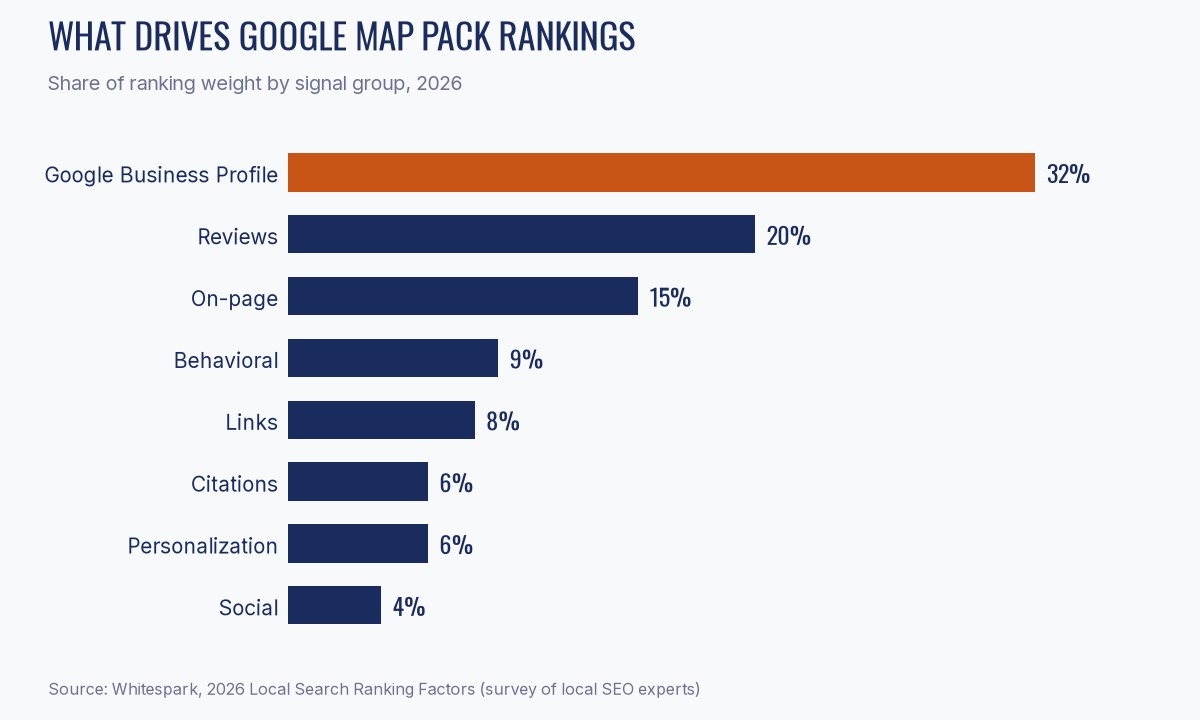
Read that again with a storage lens. Your Google Business Profile is the single biggest lever, and your facility page is the thing your profile points at. (Setting up the profile itself is covered in our Google Business Profile guide.) The two work as a pair. A strong profile pointing at a thin, generic page wastes most of its power, because the landing page is where Google confirms that the entity is real, local, and about storage.
That is why the facility page is a multiplier rather than just another page. It amplifies everything else you do.
The three ways storage sites get this wrong
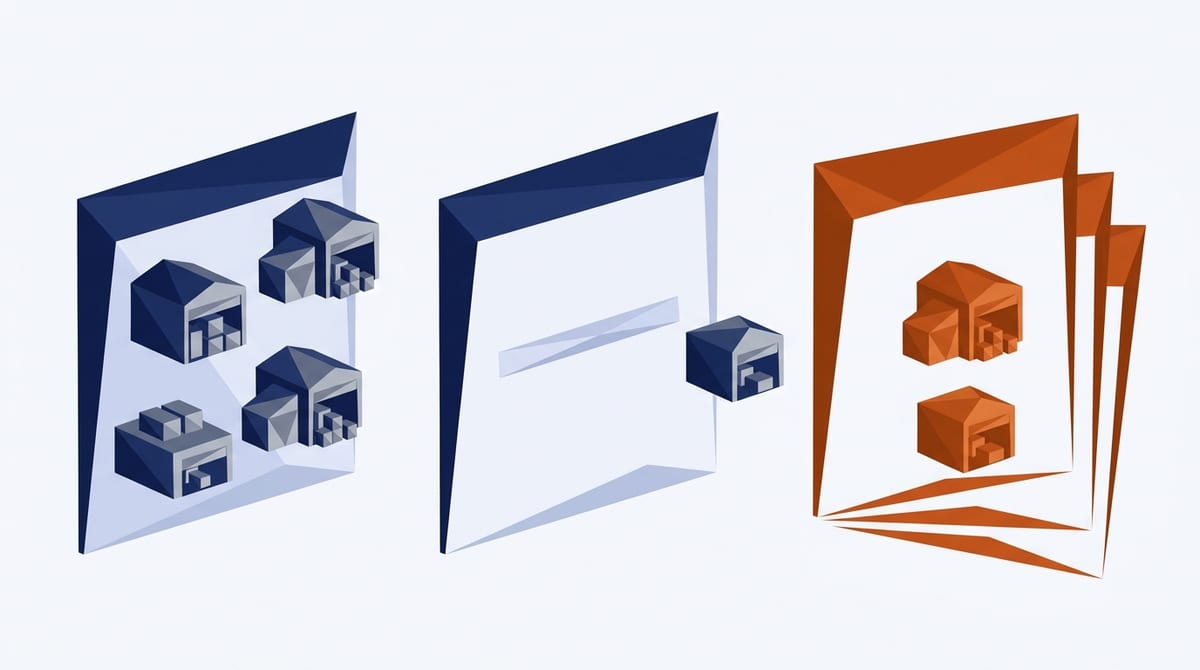
1. One page for every location
An operator with four facilities builds one “Locations” page listing four addresses. Now four buildings in four different cities are competing for Google’s attention through a single URL, and none of them own their city.
Every physical location needs its own indexable page with its own URL, its own title tag, and its own address. This is not optional. It is the structural requirement that everything else sits on.
2. Pages under 100 words
The single most common failure. The page has an address, a phone number, a map embed, a “Rent Now” button, and maybe one sentence. That is a directory listing, not a page.
Google has almost nothing to evaluate. Neither does a customer trying to decide between you and the facility two miles away.
3. The same 400 words on all six locations
Operators who know length matters sometimes solve it by writing one block of copy and swapping the city name. Google is good at recognizing this. You end up with six pages that are functionally one page, and Google picks one of them, usually not the one you wanted.
Templated structure is fine and sensible. Templated content is the problem. The fix is a consistent skeleton with genuinely different flesh on it, which is easier than it sounds because every facility really is different.
The anatomy of a self-storage facility page that ranks

Here is the full checklist. Work down it for one location at a time. If you run a single site, work down it on your homepage.
1. An H1 with the facility and the city
“Self Storage in Ocala, FL” or “Ocala Self Storage on SW College Road.” Not “Our Facility.” Not “Welcome.”
2. Unit sizes with real prices
List every size you rent, with dimensions, a plain-language description of what fits, and current pricing. “10×10, about the size of half a garage, fits a one bedroom apartment.” This is the content customers most want and the content most sites bury inside a rental iframe where Google cannot read it.
If your pricing is dynamic, publish a starting-from price in crawlable HTML alongside the live widget.
3. Amenities described, not listed
“Climate controlled” is a checkbox. “Climate controlled units held between 55 and 80 degrees year round, which matters here because Ocala summers sit in the 90s with heavy humidity from June through September” is content. It is also true, specific, and impossible for a competitor to copy without lying.
4. The neighborhoods and landmarks you actually serve
Name them. The freeway exit, the shopping center across the street, the neighborhoods within a ten minute drive, the college whose students move out every June. These are things that give Google clear signals that you actually are in the area you say you are, and can target longer tail keywords people in your area naturally use.
5. Access details in full
Gate hours, office hours, whether access is 24 hour, drive-up versus interior, elevator access, aisle width for a moving truck, whether a 26 foot truck can turn around in your lot. Real operational detail signals a real business.
6. Photographs of the actual building
Stock photos of a generic orange roll-up door help nobody. Shoot the gate, the office, the hallway, a representative unit with the door open, the truck turnaround. Real photos are an experience signal, and they lift conversion independently of ranking. Go even further and take pictures of the actual inside of your units (bonus points if they are clean and freshly painted).
7. Reviews on the page
Pull your Google reviews onto the facility page. Reviews are roughly 20 percent of map pack ranking weight and close to 100 percent of what a nervous first-time renter is looking for.
8. An FAQ block with schema
Six to ten real questions your manager gets asked every week. What do I need to rent. Do you prorate. Can I get a truck in there. Is there a lock included. Mark it up with FAQPage schema so it is eligible for rich results and so AI search engines can lift a clean answer.
9. Internal links to your unit-size pages
Link “10×20” to a page about 10×20 units. This builds the topical structure that makes the whole site legible and gives you more surface area to rank. This page can show pictures of your actual 10×20 units, what fits in them, etc.
10. LocalBusiness and SelfStorage schema
See the block below.
11. A NAP that matches your Google Business Profile exactly
Name, address, phone. Character for character. “Ave” on one and “Avenue” on the other is the kind of small inconsistency that quietly suppresses a listing. The easiest way for Google to understand who you are across the internet, is to ensure everywhere you appear, your name, address, and phone number are exactly the same.
12. A rent or reserve call to action above the fold, and again at the bottom
The page is not a brochure. Every scroll depth should have a way to act. You can actually track which call to action gets clicked more often with Google Analytics.
How long should the page be?

Long enough to answer the questions, which in practice means several hundred words minimum and often more. Do not chase a number.
The honest way to set your own target is to search your primary term, open the top three or four results in your market, and measure them. That gives you a benchmark grounded in your actual competitive set instead of a figure from a blog post. Pages that rank in competitive storage markets are substantially longer than the sub-100 word pages most independents are running, and the gap is where the opportunity lives.
Word count is a proxy anyway. What Google is really measuring is whether the page answers the question completely. Length is a symptom of completeness, not a cause of ranking.
Scaling across multiple locations without duplicating
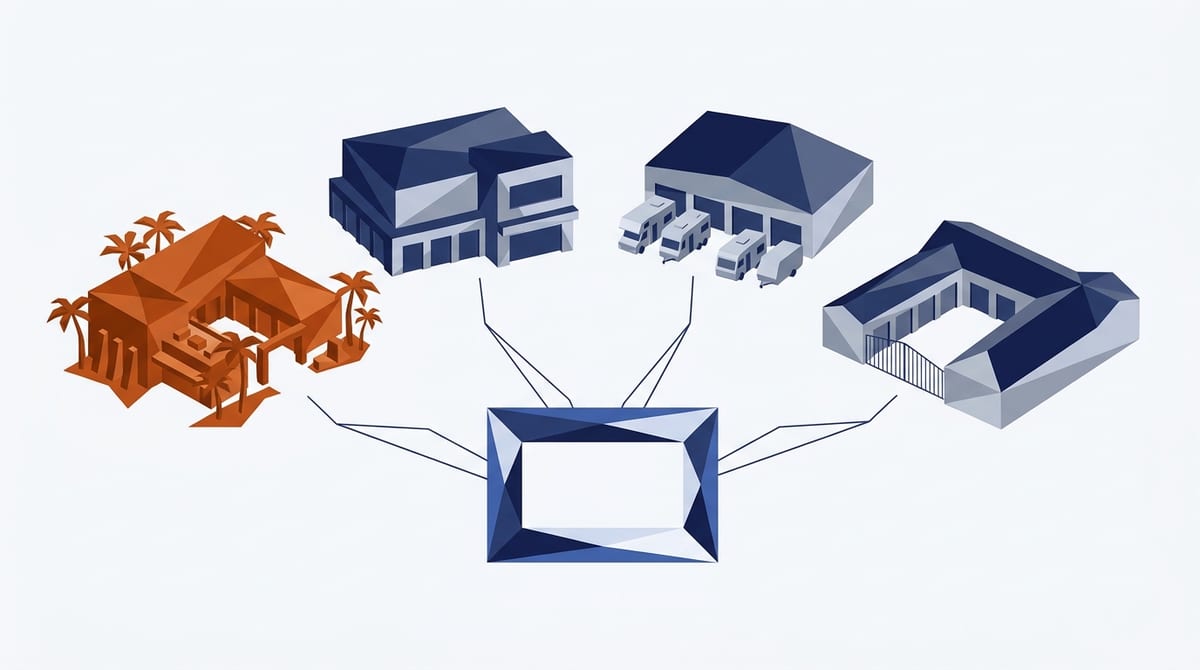
The workable pattern is a fixed skeleton with variable content:
- Fixed: section order, headings structure, schema shape, CTA placement, unit size table format
- Variable: the neighborhood paragraph, the amenity descriptions, the FAQ answers, the photos, the manager introduction, the access notes
Do not try to rebuild every location at once. Start with one facility and improve its page until it is complete. Then move to the second facility and do the same on its own location page. One page done properly beats six pages half done, and the first one gives you a working pattern for the rest.
Budget roughly two hours per facility for the variable content. Walk the property or call the manager and ask what customers ask. You will get better copy in twenty minutes of conversation than in a day of writing from a desk.
If you run more than a handful of locations, this is exactly where a structured approach pays for itself, and it is the core of what we do on the Local SEO service.
How to check if your site already has SelfStorage schema

Before you add anything, find out what is already there. Many storage websites have some schema, often added by a theme or plugin, but it is usually the generic kind. This takes about two minutes per page.
The quick check: view the page source
1. Open your facility page (or your homepage, if you run a single site) in Chrome.
2. Press Ctrl+U (Cmd+Option+U on a Mac) to view the source.
3. Press Ctrl+F (Cmd+F) and search for SelfStorage.
If you find "@type": "SelfStorage", you have it. If you only find LocalBusiness or Organization, you have schema, but not the storage-specific type. If you find nothing, search for application/ld+json. No matches means the page has no structured data at all.
The thorough check: the Schema Markup Validator
Some plugins and website platforms add schema with JavaScript after the page loads, so it will not always show up in the raw source. For a definitive answer:
1. Go to validator.schema.org.
2. Paste in your facility page URL and run the test.
3. Look at the list of detected items on the right. You want to see SelfStorage, with your name, address, and phone filled in and matching your Google Business Profile exactly.
The validator also flags errors and warnings. A block with the wrong address or a missing phone number can be worse than no block, because it sends Google conflicting signals.
Check every location, not just one. On multi-location sites it is common for the homepage to carry schema while the individual facility pages carry none, or for every facility page to repeat the head office address. Each facility page should describe its own building.
If you come up empty, or you find a generic LocalBusiness block, use the template below.
Copy-paste schema
Drop this in the page head, or use your SEO plugin’s schema tool. Replace every bracketed value.
{
  "@context": "https://schema.org",
  "@type": "SelfStorage",
  "name": "[Facility Name]",
  "image": "[URL to a real photo of the building]",
  "url": "[Facility page URL]",
  "telephone": "[Phone, matching GBP exactly]",
  "priceRange": "$$",
  "address": {
    "@type": "PostalAddress",
    "streetAddress": "[Street, matching GBP exactly]",
    "addressLocality": "[City]",
    "addressRegion": "[State]",
    "postalCode": "[ZIP]",
    "addressCountry": "US"
  },
  "geo": {
    "@type": "GeoCoordinates",
    "latitude": "[Lat]",
    "longitude": "[Long]"
  },
  "openingHoursSpecification": [{
    "@type": "OpeningHoursSpecification",
    "dayOfWeek": ["Monday","Tuesday","Wednesday","Thursday","Friday","Saturday","Sunday"],
    "opens": "[06:00]",
    "closes": "[22:00]"
  }],
  "areaServed": [
    { "@type": "City", "name": "[City]" },
    { "@type": "City", "name": "[Neighboring city]" }
  ],
  "amenityFeature": [
    { "@type": "LocationFeatureSpecification", "name": "Climate Controlled", "value": true },
    { "@type": "LocationFeatureSpecification", "name": "24 Hour Access", "value": true },
    { "@type": "LocationFeatureSpecification", "name": "Drive-Up Units", "value": true }
  ]
}
SelfStorage is a recognized schema.org type and a subtype of LocalBusiness, so you get the local business treatment plus a precise category signal. Add a separate FAQPage block for your FAQ section.
Validate in Google’s Rich Results Test before you call it done.
What this looks like when it works
One facility we work with rebuilt its facility page along these lines as part of a broader local SEO program. Over the following months, search impressions grew roughly 12 times and clicks rose about 70 percent, measured in Google Search Console. Occupancy moved from 81 percent to 93.5 percent over seven months.
Two honest caveats. That facility was rebuilding on a new domain, so the impression baseline was low, and the facility page was one part of a program that also included Google Business Profile work, schema, and content. No single page does that alone.
What the facility page does is make everything else land.
Where to start this week

If you have one facility, work down the twelve-point checklist on your homepage and give yourself an afternoon. The neighborhood paragraph, real photos, and the unit size table will move the needle furthest for the least effort.
If you have several, pick one facility and improve its location page first. Once it is done, start on the second facility’s location page, then the third. Each page you finish makes the next one faster.
And if you would rather it were handled, that is what our plans do. See what is included, or get a free visibility audit and we will tell you exactly where your facility pages stand today.
Related reading
– Self-Storage SEO: The Complete Guide for Facility Owners
– How to Optimize Your Storage Facility’s Google Business Profile

One Comment
Comments are closed.